Rigid boxes
Neck box
Grayboard shell for the neck box base: bottom with four walls, V-grooves, butt-jointed corners.
Opens the online editor with this template. Try it without payment details; export with Pro.
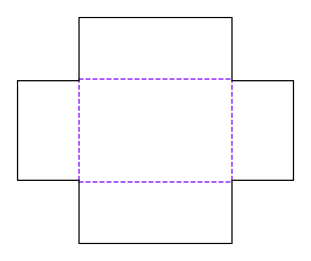
- Template
- Neck box – base (greyboard)
- Category
- Rigid boxes
- Dimension reference
- Inside dimensions
- Default dimensions
- 150 × 100 × 60 mm
- Parameters
- 1
- Version
- v1
- Template ID
- rigid.neck.base
Dimensions and limits
Default dimensions of the template and the permitted range in mm.
| Dimension | Default | Range |
|---|---|---|
| Length | 150 mm | 30–500 mm |
| Width | 100 mm | 30–500 mm |
| Height | 60 mm | 10–300 mm |
Parameters of this construction
1 parameters with default value and limits, adjustable in the editor.
| Parameter | Default | Range | Note |
|---|---|---|---|
Butt joint gapjointGap | 0.2 mm | 0–1 mm | The walls placed between the long walls are shorter by this value at each joint so they do not bind during erection. |
Components
This construction consists of 6 templates; you open each one separately in the editor.
Assembly
Erect the greyboard at the grooves: front and back walls first, then place the end walls between them. Secure the corners with corner tape, then wrap.
Grain direction
Grain direction of greyboard and wrapping paper parallel to the x-axis of the blank: the long grooves fold cleanly, and board and paper do not warp against each other during wrapping (check with the rigid box manufacturer).
Reference note
No external reference is listed in the catalog.
Labels such as “similar to FEFCO” or “ECMA family, unconfirmed” are for orientation only. The templates are our own constructions; an assignment to a standard code is unconfirmed and not a trademark claim.
Frequently asked questions about this template
Why is the neck strip 80 mm high?
The 20 mm neck height describes protrusion above the base, not the entire strip height. With a 60 mm base inside height, the neck strip is 80 mm high. It reaches the bottom and is glued to the inside walls. Check its actual seating after wrapping; adhesive application and turn-ins can affect contact.
How does this lid differ from a telescoping lid?
The neck box lid fits over the wrapped neck and rests on the base. It therefore does not need to fit over the base's entire outside dimensions. The model derives its inside dimensions from the base's inside dimensions and clearance. A lid from the lid-and-base box uses a different relationship and cannot be reused unchanged.
Why is the neck cross section smaller than the base's inside space?
There is wrap paper inside the base, and the neck is wrapped too. The model therefore subtracts four paper thicknesses from the base's inside dimensions before determining the neck's outside cross section. Two board thicknesses are additionally subtracted for the neck's inside space. With different paper, recalculate the entire assembly; check installation with the actual wrapped parts.
What does the ASM-007 finding mean?
ASM-007 reports that the wrapped lid's inside height is smaller than the wrapped neck's protrusion. The lid then rests on the neck rather than the base. The finding is a warning. Also check ASM-006 for the cross section and confirm intended lid seating on the complete assembly test sample.
Why does the neck wrap have no turnIn parameter?
The neck wrap has boardCaliper and cornerOverlap. Its turn-ins are calculated from neck geometry down to the inner bottom line; a separately adjustable turn-in as on the base wrap is not provided here. Overlap at the joint remains a parameter and is geometrically limited to half the inside length. Do not reuse a shell wrap's parameter list.
Related templates
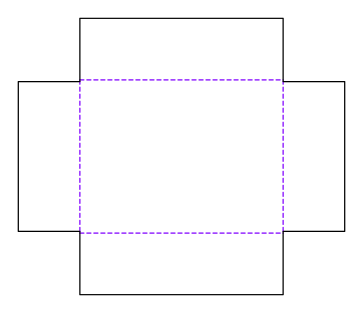
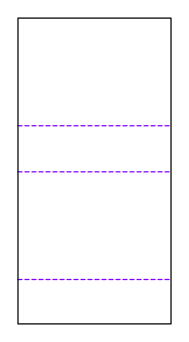
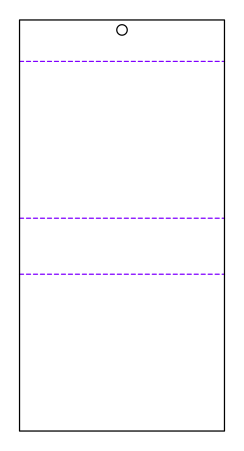
Customise the Neck box in your browser
Set dimensions and material, review findings and export print-ready as PDF, SVG or DXF.