Labels
Round label
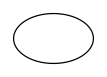
Circular label; the diameter is both width and height.
Opens the online editor with this template. Try it without payment details; export with Pro.

- Template
- Round label
- Category
- Labels
- Dimension reference
- Nominal size
- Default dimensions
- 50 × 50 × 0 mm
- Parameters
- 0
- Version
- v1
- Template ID
- label.round
Dimensions and limits
Default dimensions of the template and the permitted range in mm.
| Dimension | Default | Range |
|---|---|---|
| Width | 50 mm | 10–300 mm |
| Height | 50 mm | 10–300 mm |
| Corner radius | 0 mm | 0–∞ mm |
Assembly
Peel the label from the backing material and apply it from the center outward without bubbles.
Grain direction
No fixed grain direction; check parallel to the body axis on curved bodies
Reference note
Reference classification still pending
Labels such as “similar to FEFCO” or “ECMA family, unconfirmed” are for orientation only. The templates are our own constructions; an assignment to a standard code is unconfirmed and not a trademark claim.
Frequently asked questions about this template
Which dimension do I enter for a round label?
Enter the diameter as width and height. Both values must be equal; in the example they are each 50 mm. The corner radius remains 0. The diameter describes the cut edge; bleed and safety zone additionally belong to the production profile.
Can I create an oval with two different dimensions?
No. The round template explicitly checks that width equals height and stops if values differ. Choose the oval label for an elliptical outline. This keeps the template ID and geometric structure traceable in the report too.
How is a round up arranged on the backing sheet?
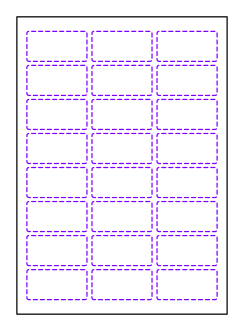
Use the label sheet template with round label shape and equal values for label width and label height. Rows, columns, and spacing come from its sheet dimension model. The single circular label does not itself calculate an arrangement of multiple labels.
Related templates
Customise the Round label in your browser
Set dimensions and material, review findings and export print-ready as PDF, SVG or DXF.