Flat products
Folded card
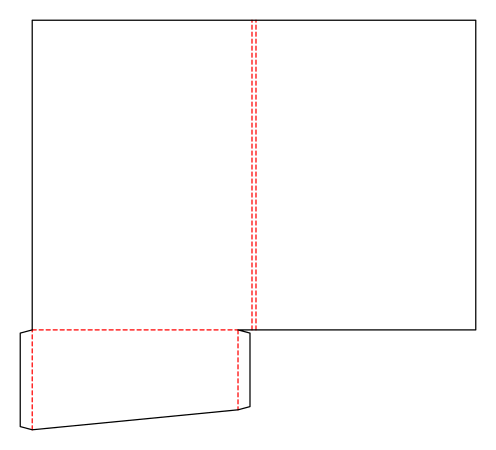
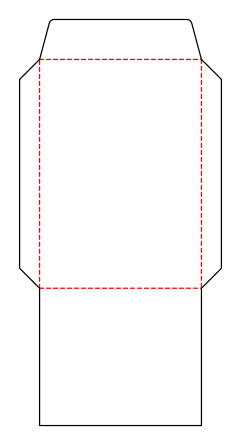
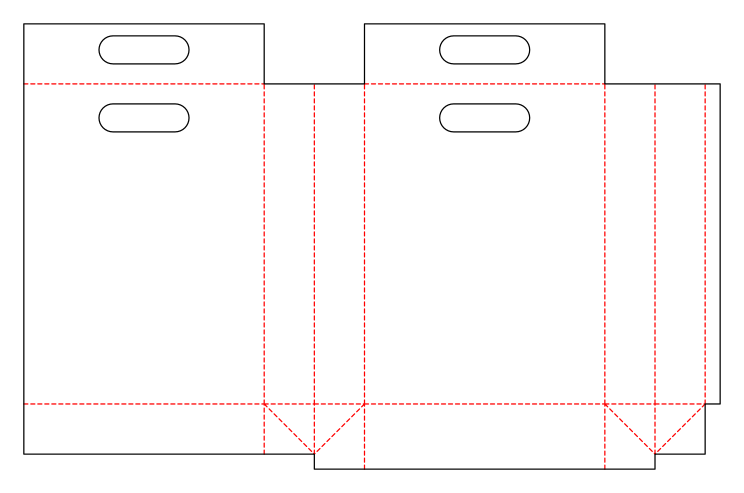
Folding carton with a glue flap and one tuck flap each at the top and bottom; both tuck flaps are attached to the front.
Opens the online editor with this template. Try it without payment details; export with Pro.
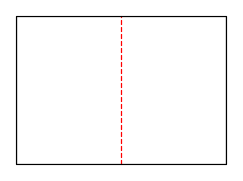
- Template
- Folded card
- Category
- Flat products
- Dimension reference
- Nominal size
- Default dimensions
- 105 × 148 × 0 mm
- Parameters
- 2
- Version
- v1
- Template ID
- card.fold
Dimensions and limits
Default dimensions of the template and the permitted range in mm.
| Dimension | Default | Range |
|---|---|---|
| Width | 105 mm | 50–300 mm |
| Height | 148 mm | 50–300 mm |
| Corner radius | 0 mm | 0–∞ mm |
Parameters of this construction
2 parameters with default value and limits, adjustable in the editor.
| Parameter | Default | Range | Note |
|---|---|---|---|
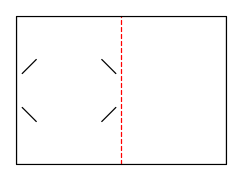
Fold typecardFold | single | single · roll · gate | Single fold (two panels), roll fold (three panels, narrower inner flap), or gate fold (two wings that meet at the front). |
InsetcardFoldInset | 2 mm | 0.5–5 mm | The amount by which the inner flap is narrower (roll fold), or the width of the gap between the wings (gate fold); at least twice the material thickness. |
Assembly
Pre-break the blank along all creases. Glue the glue flap to the inside of the opposite wall and lay the carton flat. Erect for filling, fold in the dust flaps, and insert the tuck flaps.
Grain direction
Grain direction vertical on the blank (check)
Reference note
No external reference classification stated in the catalog.
Labels such as “similar to FEFCO” or “ECMA family, unconfirmed” are for orientation only. The templates are our own constructions; an assignment to a standard code is unconfirmed and not a trademark claim.
Frequently asked questions about this template
Is 105 × 148 mm the open or closed size?
The dimensions refer to the folded finished size. A single fold produces two equally wide panels side by side. The starting blank is therefore 210 × 148 mm. Roll and gate folds change the blank even with the same finished size; create the artwork only after choosing the crease pattern.
Which crease patterns does the folded card support?
cardFold offers single for a single fold, roll for a roll fold, and gate for a gate fold. A single fold has a cover and back. A roll fold adds a narrower inner flap. A gate fold has a central panel and two front wings. The template calculates separate panel boundaries for each selection.
What does cardFoldInset do?
With a roll fold, this parameter shortens the inner flap. With a gate fold, it describes the gap between the wings. The required minimum inset depends on material thickness. A single fold does not need it for panel widths. Recheck the combination after a material change and test closing on a sample.
In which order is the roll fold closed?
The inner flap folds inward first, then the cover folds over it. This places the shortened flap inside. Reversing the order does not match the intended structure. Use the calculated panel boundaries for artwork and check page order on a labeled paper sample before finalizing the design.
Is this a general folded brochure tool?
This ID provides the three described card constructions with a shared finished size. Arbitrary additional panel counts or freely placed crease lines are not provided here. custom.polygon is available for a custom outline with up to four crease lines; there, the outline is explicitly entered as a fixed point list rather than card dimensions.
Related templates
Customise the Folded card in your browser
Set dimensions and material, review findings and export print-ready as PDF, SVG or DXF.