Folding cartons
Sleeve
Open tube with four walls and a glue flap, optionally with finger notches at both open edges, e.g., as a sleeve over a drawer.
Opens the online editor with this template. Try it without payment details; export with Pro.
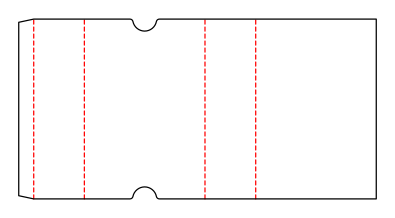
- Template
- Sleeve
- Category
- Folding cartons
- Dimension reference
- Inside dimensions
- Default dimensions
- 120 × 50 × 180 mm
- Parameters
- 6
- Version
- v1
- Template ID
- carton.sleeve
Dimensions and limits
Default dimensions of the template and the permitted range in mm.
| Dimension | Default | Range |
|---|---|---|
| Length | 120 mm | 20–300 mm |
| Width | 50 mm | 20–300 mm |
| Height | 180 mm | 20–300 mm |
Parameters of this construction
6 parameters with default value and limits, adjustable in the editor.
| Parameter | Default | Range | Note |
|---|---|---|---|
Glue flapglueFlap | 15 mm | 8–25 mm | Width of the glue flap used to glue the blank into a tube. The material requires a minimum width. |
Glue flap angleglueFlapAngle | 12° | 0–20° | Bevel at the ends of the glue flap; facilitates folding and erection. |
Finger notchfingerNotch | on | on / off | Semicircular notch at both open edges for gripping the contents. |
Finger notch radiusfingerNotchRadius | 12 mm | 5–30 mm | Radius (= depth) of the finger notch; limited by sleeve length and panel width. |
Finger notch panelfingerNotchPanel | front | front · back · frontAndBack | Panel with finger notch: front, back, or both. |
Finger notch positionfingerNotchPosition | 50 % | 20–80 % | Notch center position as a proportion of panel width, measured from the left crease (outside view). |
Assembly
Prebreak the blank along all creases, glue the glue flap to the inside of the opposite wall, and flatten the sleeve. Erect for use and slide the contents in.
Grain direction
Grain direction parallel to the height (sleeve length): wall creases fold cleanly. For wide, thin walls, across the height to reduce bowing (check with the test print shop).
Reference note
ECMA family, unconfirmed
Labels such as “similar to FEFCO” or “ECMA family, unconfirmed” are for orientation only. The templates are our own constructions; an assignment to a standard code is unconfirmed and not a trademark claim.
Frequently asked questions about this template
What does a sleeve's height mean?
Height measures the distance between the two open edges. Length and width instead form the tube's cross section. Because no wall adjoins the top or bottom, switching between inside, outside, and crease-to-crease dimensions does not change height. The cross section is still converted using the selected material profile.
Can I turn off the finger notch?
Yes. fingerNotch controls the notches at both open edges. In the starting example, the option is enabled and centered on the front. Without notches, the open edges remain continuous. Check how you can grip or push out the contents then; this does not add a closure to the sleeve.
Why doesn't a large radius fit everywhere?
The notch, including its entries and minimum bridge, must fit between the wall creases. A position near the left or right edge reduces this space. Depth may also be at most 40 % of sleeve length. A radius within the table range can therefore still be invalid under the geometric conditions.
Is the sleeve a complete drawer box?
This ID creates only the open sleeve. A drawer or insert is not part of the shown construction. Set the cross section based on the body to be inserted and physically check the required clearance. Without an end closure, the sleeve cannot retain its contents in every orientation; account for this in the packaging structure.
Related templates
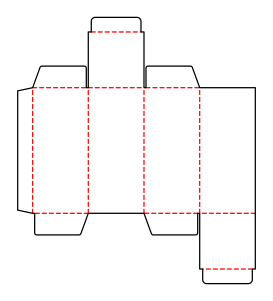 Folding cartonsReverse tuck end cartoncarton.tuckend.reverse
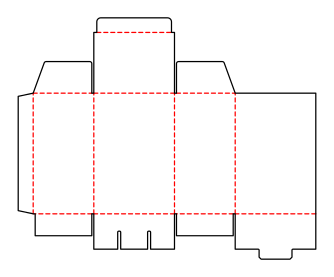 Folding cartonsCarton with snap-lock bottomcarton.snaplock
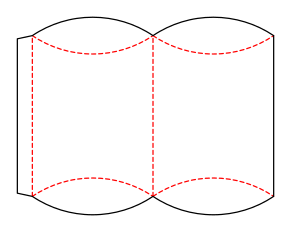 Folding cartonsPillow boxcarton.pillow
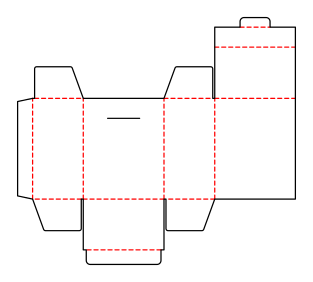 Folding cartonsHinged lid cartoncarton.hinged.lid
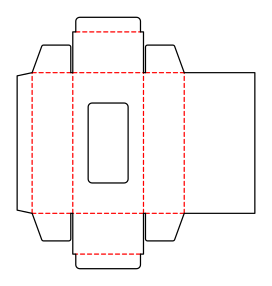 Folding cartonsTuck end carton with windowcarton.window
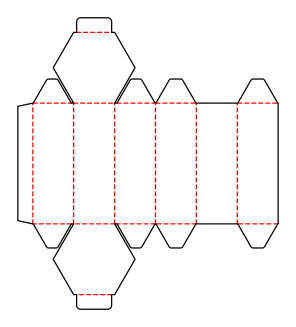 Folding cartonsHexagonal cartoncarton.hexagon
Customise the Sleeve in your browser
Set dimensions and material, review findings and export print-ready as PDF, SVG or DXF.